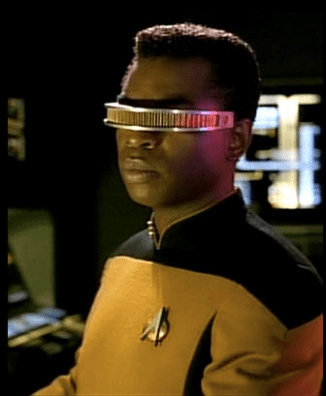
 Screenless display technology has been used in science fiction for decades, but this advanced display system has also been worked into a usable format over the last few years.The development of Google Glass in 2012 brought this technology to the forefront. It also created a wide range of possibilities in terms of how this technology could be used.
So how can you use the screenless display to train your students? From the standpoint of healthcare, how can you use screenless displays to train medical personnel and safeguard patient information? A few benefits to the healthcare field have already been realized, but many more may still be on the horizon.
How Screenless Displays Work
There are three main categories of screenless displays that come in the form of a wearable device. The first is the light guide optical element (LOE) device. This looks like a pair of glasses that enables users to view a see-through display imported from their phones or other digital device. The image is projected onto the thin glass of the device.
The retinal scanning device (RSD) and the virtual retinal display (VRD) work in almost the same way as each other, but using different equipment. In these cases, an image is projected directly onto the retina. VRD has been developing for over two decades, but more compact and easily accessible forms with better quality display are now being developed.
There is another type of screenless display that does not require a wearable device to view the object—hologram technology. The way this works is through a precise setup of lasers, mirrors and film. The laser light is guided by mirrors, going through a beam splitter, and each branch of the split beam goes through a diverging lens, which widens the beams. One beam goes straight to a photographic emulsion, while the other hits the object then is guided to the emulsion. The disruption caused by the difference in the two beams creates a viewable hologram.
How to Use Screenless Displays for Healthcare Training
All forms of screenless displays can be used for healthcare training. Each one can provide a large display of germs, cells, anatomy, or anything else that’s not easily seen with the naked eye. The case of holograms is especially helpful over screen displays because students and instructors can view a 3D image together and address any questions by interacting with the display.
How Screenless Display Improve Security
Wearable screenless devices may be best for protecting patients’ privacy. Healthcare information needs to be safeguarded and there are HIPPA rules that employees should follow, but mistakes do happen. Wearable screenless displays would cut down on the risk because the information would only be seen by the person wearing the device. No one could look over their should at their screen, they wouldn’t have to remember to lock their computer while stepping away. Patient information would only be available to the people meant to see it.
To learn more about advances in healthcare training or how Avidity Medical Design is striving to innovate healthcare education platforms, feel free to contact us.

 The Avidity Medical Design Blog