Tricks For How to Master Technology in the Online Learning Environment

One of the uses of modern technology is online learning, which is a fancy way of saying taking classes via the Internet. While there are huge benefits to online learning (schedule flexibility, no need to show up to a physical classroom, lower cost, etc.) getting the most out of these classes requires familiarity with the technology in question. If students aren’t the most tech-savvy though there are several ways to make sure that doesn’t stand in the way of getting a good grade.

How to Master Technology in the Online Learning Environmenthow to master technology in the online learning environment

Tip One: Read The Instructions

While it sounds like a no-brainer the instruction manual is something that few students ever read when it comes to their technology. Whether it’s a webcam or the school’s online blackboard take some time to read over the guide for how it works and what all the different functions do. This might not answer all of your questions, but it will make the overall process that much easier on you.

Tip Two: Ask For Assistance

While it’s sometimes galling to admit you need help it’s better to do it sooner rather than later. It’s equally important to knowwhom to ask for help though. If your school has a help desk then that’s a good place to start. If there’s a school website check and see if there’s a forum where other students could explain the technology to you. If you have contact information for other students in your class ask if they could help you overcome the issues you’re having. Sometimes all it takes is having someone there to give you the play-by-play before it all clicks into place.

Tip Three: Don’t Wait

While it’s possible to put off figuring out new technology during your semester, especially if you can just get the information you need from a classmate, it’s important to put your nose to the grindstone from day one. What might be an awkward program that you gradually learn to use over the semester can become a nightmare if you try to master it just before your big project is due.

Tip Four: Don’t Focus on Shortcuts

You know when you were in math class and you had to learn the long-form way to do a problem before the teacher would show you the quick and dirty way to do it? Mastering technology is kind of like that. While it’s possible to hit a few hot keys to perform a complex command it’s a better idea to learn how to do it the long way first. If you feel that you’ve achieved a certain mastery of the tech in question then you can learn how to take all of the shortcuts to get from point A to point B.

For more information regarding online learning and how you can make your experience that much easier on yourself simply contact us today!

The Truth about Advisors

The word “advisor” encompasses many things when dealing with a University. With on-campus Universities, the advisor is most likely a professor/instructor at the school. With online universities, it works a little differently.

Student working with her advisor while taking her online class.

Student working with advisor online in the healthcare classroom.

Each university has its own unique procedures in what their advisors are responsible for. Many times an initial admissions advisor, sometimes known as an admissions representative, will guide you through the application process and your initial financial aid process. It is their responsibility to direct you through the initial application process, retaining any necessary transcripts, work history or other experience that could count towards the degree you choose. This includes helping you make an informed decision about the degree options that would be best suited to your needs.

How to Work with Your Advisor When Taking Online Classes

Once you have chosen your area of study and have been accepted, a new academic advisor is assigned to you, knowledgeable in your specific field. He will counsel you on your first steps, if you are new to the online process. This includes your first class, specifically designed to acclimate you to the online class process. Depending on whether you are full or part time, your advisor will guide you through the classes that will best fit your schedule. A financial aid advisor will be assigned for financial questions.

Academic advisors are trained to know the courses necessary for the degree that you are pursuing.  They will also answer any questions unique to the career or career path that you are seeking. For instance, if the degree you seek is psychology, you will have the further options of going into counseling, research, medical, etc. Having an idea ahead of time will help you tailor your degree. Fear not, though, you have the prerogative to change your path at any time and your advisor will guide you through the steps. The same goes with certificates; whether you choose medical transcription, medical billing, or any other related field, your advisor is there to guide you.

An advisor is concerned with your educational outcome and the career you will be stepping into. An advisor is not responsible for problems you are having with your instructor. That is between you and your instructor. An advisor can help you find alternative classes, however, if you feel the class is not working out for you. But it is your responsibility to know the add/drop dates so that you are not charged. Your advisor will most likely not contact you to see if you like the class or how you feel you are doing.

Chances are your advisor has also taken classes at the university you are attending. They will be familiar with the basic guidelines. But keep in mind that every instructor is different and your advisor may not be acquainted with your particular one. Generally your syllabus and class guidelines will give you all of the information you will need to get through your class.

Students are often reassigned advisors, depending on the circumstances of the university and you will be notified who your new advisor will be. Fear not, the new advisor will be up-to-date on your particular course of action. Most importantly, though, you are the one responsible for keeping up with your classes and your progress. Keep track of your classes, GPA, and future course of action so that, no matter who your advisor is, you know where you are.

For more information, please feel free to contact us.

How to Deal With Conflicts With Your Online Instructor (And Maintain A Positive Relationship)

Online instruction is becoming more and more popular as a form of education, and why not? Students pay less for the courses, they have more flexibility on their time, there’s no need to show up to a physical classroom, and as long as students have an Internet connection they can get the lessons they need. Some things never change though, and one of those things is conflict between students and instructors.

Fortunately for students though it’s often possible to resolve conflict with an instructor by taking measured, reasonable steps.

Student dealing with conflict with online instructor. From the Avidity Medical Design Blog.

Student dealing with conflict with online instructor.

How to Deal With Conflicts With Your Online Instructor

Step One: Remove Emotion, Define the Conflict

The first step to resolving conflict with your online instructor is to take a deep breath, and relax. Conflict by its very nature can lead to hot tempers and angry demands, so it’s best to take a day or so and make sure you can think through the conflict before you do anything you might regret. Once you’ve calmed down examine the situation on its facts; is there a conflict here? If there is, can you define what it is? Maybe it’s the way your instructor graded your essay, or you need to get an extension on a project due to extenuating circumstances, but make sure you can define it simply.

Step Two: Contact Your Instructor And Arrange A Meeting

Online instructors, just like physical ones, will have office hours or days when it’s best to contact them (you’ll find the information in your syllabus). Email or call your professor and ask if you can schedule a meeting at a given time or on a given day. If a face-to-face meeting is possible that’s typically the best option, but if you can Skype or discuss things over a phone call that’s often better than discussing your situation purely through text since there’s facial expression, tone of voice, etc. to help convey meaning.

Step 3: Lay Out The Situation and Your Problems With It

When you have your meeting lay out the situation as you see it, and the difficulties you’re currently facing. Don’t make accusations or try to lay blame, but instead try to reach across the aisle and communicate openly. If you don’t understand something then ask for clarification. Once you’ve laid out the situation as you see it, ask if what you’re seeing is accurate, and give your instructor time to explain his or her side of things.

Step 4: Discuss Possible Solutions

Once the problem has been laid out the next step is to discuss methods that can be taken to solve it. If you feel that your grade on an essay wasn’t as high as deserved an instructor might be willing to consider your points and alter the final grade. Alternatively the instructor might suggest that he or she review your next paper to ensure that you get the grade you want. It’s important to work with your instructor to find a solution that’s fair and reasonable.

If you go through all of these steps you’ll be able to bring your concerns to your instructor, and hopefully find solutions to fix the problem as it exists. There’s no guarantee that it will work, but if you’re respectful, honest, and open about the issues you’re having then you’re much more likely to get them resolved than if you aren’t.

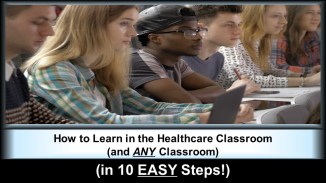
How to Learn in the Healthcare Classroom. Online Course from Avidity Medical Design Academy.

For more information on dealing with online courses and conflicts, visit Avidity Medical Design Academy. Enroll in the course entitled, “How to Learn in the Healthcare Classroom (and ANY Classroom) (in 10 EASY Steps!)

Appropriate Email Etiquette in the Online Classroom

An online classroom provides a unique way to interact with your instructor and peers. You may feel comfortable enough with them to joke around, and you may even think you can address your professor more as a peer than an authority figure. However, the written word is often misunderstood, and you still are the student, not another professor.  You can run the risk of misrepresenting yourself through email and on discussion boards if you aren’t careful. Here are some tips for email etiquette in the online classroom:

Email Etiquette in the Online Classroom - From The Avidity Medical Design Blog.

Students checking email in the online classroom.

  1. Always address your professor with respectConsider your professor to be your boss, and address her with the same level of respect. NEVER address your professor by her first name unless you have received explicit permission to do so (heads up, you won’t). Use appropriate language, i.e. no slang or swear words. Your written word is the only way your instructor knows you. Make a good impression.
  2. Don’t sound angryWhen you’re upset about a grade or comment your professor made, it’s natural to feel angry and defensive. Use email to your advantage though. Your professor can’t see your emotions here, so this is a chance to demonstrate your maturity and respect even in the midst of your internal anger. Instead of making accusations, ask for clarification as to why you earned the grade or comment in question. Approaching a conflict respectfully and with a congenial tone will go a long way. Remember, your words are the only way your professor knows you. Just like number 1, make a good impression through email.
  3. Never EVER make a threatSometimes we forget that emails are permanent. If you have a true problem with a professor, seek help from another source like your academic advisor. Your professor will take your words seriously, which can result in serious consequences for you. Don’t even joke about a threat. Just. Dont.
  4. Avoid jokes among peers: Online discussion boards are the online equivalent to a classroom discussion. The main difference is inside a classroom, everyone is participating at the same time and can understand your attitude and tone when you make a particular statement. Your peers can feed off of your instructor to determine whether or not you are being appropriate. Abide by the blanket rule to not tell jokes and you’ll be fine.
  5. Respect your professor’s timeJust because you’re up and writing a paper at 11:00 on a Tuesday night does not mean your professor is also awake and ready to answer her emails. Sending her a second message at 2 am will not make her answer your question any sooner. In fact, you may get the opposite result. Abide by the virtual office hours she has set up, and allow an appropriate amount of time to pass before re-sending her your question. A good rule of thumb is up to 24 hours on a weekday and 48 hours on a weekend, unless your professor has stated otherwise. Remember, as an online professor she is serving hundreds of students. In order to keep an appropriate work/life balance, she will have to set boundaries. Observe and respect these boundaries.

How to Learn in the Healthcare Classroom. Online course by Avidity Medical Design Academy.

Taking online classes can be a rewarding experience, especially for students who can’t otherwise fit college classes into their schedule. Visit Avidity Medical Design Academy to enroll in the online course entitled, “How to Learn in the Healthcare Classroom (and ANY Classroom) (in 10 EASY Steps!)“.

man using a laptop

3 Ways to Study for Online Classes

With online courses, students have the flexibility of taking their class whenever they want, wherever they want. But with so much flexibility, how do students stay on top of everything?

Student taking an online course. From the Avidity Medical Design Blog.Because online classes don’t consist of a physical classroom and in-person teacher, studying for them may require even more discipline and organization than a regular class would. Students, rather than the teacher, will have to be the ones reminding themselves of when an assignment is due or when a midterm will be.

To help you stay on top of your online classes, here are three study tips that will keep you productive.

1. Create a study schedule for yourself

Because online classes are more flexible, creating a study schedule will help students stay on track. One way to do this is to look at your syllabus and put any due dates onto your calendar. After that, schedule days to study for that exam. What’s more, blocking out time for studying can help you schedule time for work  and family as well.

2. Log into your class daily

One way to stay on top of your online classes is to make sure you’re always updated on it. One way to do this is to log into your online class on a daily basis and see if there are any new messages from the teacher or if any assignments have been rescheduled. Knowing that you’re always checking in will make your online class less overwhelming.

3. Communicate with your teacher on a regular basis, especially if you are struggling

It can be intimidating to ask a teacher for help sometimes, but getting direct help from them is always better than getting stressed out from not knowing what to do. This being said, it’s always a good idea to check in regularly with a teacher to see if you’re on the right track.

how to learn in the healthcare classroom - online course offered by Avidity Medical Design Academy

For more information on the healthcare, follow the Avidity Medical Design Blog. To learn more about our online courses, visit Avidity Medical Design Academy. Enroll in the course entitled, “How to Learn in the Healthcare Classroom (and ANY Classroom) (in 10 EASY Steps!)” offered by Avidity Medical Design Academy. To purchase scented candles and soaps inspired by healthcare, visit Avidity Medical SCENTations.

people looking at laptop computer

The Evolution of e-Learning: What Does It Mean for Your Students?

The teaching machine was the invention of Harvard Psychologist, B.F. Skinner who wrote his stimulus-response theory of human learning in the 1950s. Based on the early research of Pavolv, Skinner’s notion of the human brain was that it was composed of neural bonds he called S-R bonds. A stimulus causes a behavioral response and that pairing is permanently locked in or becomes a permanent neural structure when it is followed by a reward.

In 1954, Skinner was designing mechanical teaching machines that presented information then posed multiple choice questions. The student responded by choosing an answer. If correct, the student was rewarded with a “correct” or some such “positive reinforcement” and was allowed to proceed.

e-learning studentsPresent day e-Learning uses much more sophisticated presentation tools than those available in Skinner’s time. Principles of learning used in course design now incorporate much more sophisticated new concepts of how learning works. Many new teaching methodologies are based on neurophysiology studies and concepts that have evolved out of information processing technology. However, the technical advances apply more to the presentation of course materials than to the assessment of student learning and progress.

The e-Learning software still calls for use of the multiple choice format for assessing learning acquisition. If the course designer wants to incorporate long answer responses such as essays into the assessment of student knowledge acquisition, intervention of a human scorer is still necessary.

woman smiling while sitting at table and working on online medical course at home

In spite of those limitations, e-Learning is ideal for training mature learners, especially in the fact-based healthcare fields and the exact sciences. Detailed information can be presented in vivid graphic and animated form to students. The software can be expertly programmed to account for rates of acquisition of information. Lessons can be presented in a range of visual, auditory and mixed formats that can incorporate a world of available materials.

Knowledge acquisition and progress can be adequately assessed and feedback to the student can be presented to sizable numbers of learners in many locations. Studies have shown coursework delivered with minimal face-to-face contact with teachers is not less effective than face-to-face courses.

For the latest healthcare news, follow the Avidity Medical Design Blog. To take an online course, visit Avidity Medical Design Academy. To purchase scented candles and soaps inspired by healthcare, visit Avidity Medical Scentations. Please contact us with comments or questions.

E-Learning Boasts Benefits for the Healthcare Field

Leonardo da Vinci, master artisan and unparalleled inventor, appreciated the fact that “learning never exhausts the mind.” One of history’s most creative personalities acknowledged the liberty, freedom, and benefit that learning not only grants the learners, but also their communities. Considering his fantastic forethought, it is not unlikely that da Vinci envisioned an educational paradigm as powerful as e-Learning.e-learning, e-learning benefits, e-learning healthcare

Students from the Renaissance to as recently as the 1980s shared a very similar experience. They were forced to travel from near and far to live and study at the universities of their choosing. Such restrictive conditions made it impossible for many potential students, without the luxury of placing their lives’ responsibilities on hold, to follow their dreams.

Fortunately, the inventive human spirit designed a much more encompassing educational model in e-Learning, offering a wealth of benefits to all of today’s motivated students. The advantages of e-Learning over the traditional model are quite encouraging for contemporary learners, especially in the healthcare field:

  • Tuition for e-Learning is very cost effective. Dow Chemical was accustomed to spending up to $95 per learner/per course when paying for the traditional classroom setting. When the corporation switched to the e-Learning standard, however, they discovered that they were only paying $11 per learner/per course. By moving their studies into the virtual world, the company saved $34 million annually. Ernst and Young experienced similar savings when they condensed 2,900 hours of classroom training down to 500 hours with the support of 700 hours of web-based learning and 200 hours of distance learning. While the training costs were cut 35 percent, Ernst and Young discovered that employee consistency and scalability actually increased. Individual learners will not only find a relative savings on a virtual campus, but they too will benefit from the quality instruction received.
  • In addition to being cost effective, e-Learning demonstrates an efficiency in time. e-Learners are better able to work at their own pace, so there is never a need to slow down for lagging students. Social interaction, a common delay in any classroom environment, is not a factor in the web-based classroom. Plus, learners do not have to waste time traveling to and from another venue since the virtual classroom is readily available at their fingertips.
  • The American Psychological Society commissioned a nine-year study of e-Learning to determine its effectiveness. The research concluded that “learners learn more using computer-based instruction than they do with conventional ways of teaching, as measured by higher post -treatment test scores.” The types of learning that have been found to be particularly successful in the virtual classroom are those that focus on information and knowledge, and processes and procedures. Indeed, e-Learning students typically demonstrate increased gains in test/certification scores and in the level of mastery displayed on the job.
  • Lastly, e-Learning is advantageous to the environment. Web-based students do not increase Carbon Dioxide emissions when traveling to and from campuses. The e-Classroom also boasts paper free communications, instead relying on such tools as email, PDF manuals, and synchronous classrooms. While such environmental factors are perhaps not the main rationale that most students use to select their higher educational institutions, it is just another layer of the exceptional efficiency offered by the virtual classroom.

The healthcare field is fortunate to be at the forefront of the e-Learning revolution. Like da Vinci’s innate desire to seek out the deepest level of understanding, Avidity Medical Design possesses an unparalleled enthusiasm to equip future healthcare workers with the extensive knowledge they need to be successful in the field’s highly competitive market. Please contact us today to uncover the power of e-Learning.

Positive Prognosis for Mobile Learning for Healthcare Professionals

Mobile learning for healthcare professionals is alive and well. Many healthcare facilities are cashing in on the ease and convenience of mobile devices for learning and continuing education credits. The methods of mobile learning are also changing as technology advances and becomes accessible to a wide array of professionals in more areas around the world.

1. Mobile Phones

As mobile phones get smarter, their ability to teach increases. Even the poorest countries, such as Nepal, have found they can use smartphones to learn more about proper medical care and research. Professionals are able to read, take pictures, share videos and discuss issues with others in remote corners of the world. Questions are answered faster and answers are accessible in the office right away.

2. Tablets

mobile learning for healthcareTablets are becoming more versatile and much easier to use in healthcare learning. They can stand alone and present information in a larger format, allowing students to see details from further away. Students can work through lessons on the tablet and gain hands-on experience in medical case management. Larger screens lead to easier online test taking, clearer demonstrations, and opportunities to review medical details that may otherwise be missed on a smaller screen.

3. Laptops and Desktops

Many healthcare professionals around the world use the standard computer simply because it saves time. There is no commute time to a classroom for continuing education courses, test taking is instantaneous, and classes can be completed in real time. The overhead cost in time saved equals a more successful practice. A higher number of healthcare facilities are using mobile learning to keep employees on site and to save valuable time.

Mobile learning has opened so many doors for the healthcare field that it is nearly replacing brick-and-mortar learning. It makes sense to keep doctors and nurses on site while they learn, and it costs less to bring an educator into the building. Learning from a mobile device is the education of the future, and it can be expected to continue in the healthcare field.

To talk more about this, or anything else, please Contact Us. Thanks!

Mobile Learning: A Revolution In The Making

The advantages of mobile learning and the steps that can be taken to optimize the mobile learning experience for healthcare students and professionals are boundless. With today’s technology, the opportunity to learn is literally in the palm of a student’s hand. There has never been a time in history when the power of knowledge has been so widely available to the world. Taking advantage of this technological breakthrough has enhanced the learning experience for every profession.

Mobile Learning Is The Future

America is the home of mobile tech and we love it. Here are a few facts that you may find interesting. Did you know that 58% of Americans own a smartphone? Did you know mobile learning avidity medical designthat 42% of Americans own a tablet? This means that the students of the future are increasingly going to demand learning solutions that fit their busy schedules. Why is this so attractive to students and professors alike? Mobile learning allows for convenience, flexibility, engagement and interactivity that is lacking in other instructional settings. The data is clear that mobile learning is the wave of the future.

Optimizing The Mobile Learning Experience

In order to optimize the learning environment for students and professionals, we must change the way we view learning. Learning is a lifelong process that doesn’t have an on and off switch. From the time a student wakes up until the time they rest their heads on their pillows at night, they are learning. Learning is a seamless experience that requires different tools for different situations. Wireless, Mobile, and Ubiquitous Technologies in Education or WMUTE are the tools that can be used to optimize and revolutionize the learning experience. Click here

Design With A Purpose

Our core mission here at Avidity Medical Design is to develop curriculum that is informative, challenging, comprehensive and holistic. Staying up to date on trends in medicine is paramount to success. We design healthcare courses and review each course for technical accuracy. Regardless of the subject matter, we design courses that are engaging, innovative, and that support key learning objectives.

Sheila D. McCray, MS, CCS, CCS-P, is the principal of Avidity Medical Design, an instructional design consulting firm specializing in creating e-learning and blended learning for both the educational and corporate sectors.

Students who complete courses developed by Avidity Medical Design will have the knowledge and confidence needed to optimize work performance and achieve greater job satisfaction. Contact us today about our services and how we can help your students achieve excellence in the field of healthcare.

Smartphones, Tablets, iPODs and iPADs: What Do They Mean for the Healthcare Classroom? Let’s Take a Look.

More and more students are discovering the benefits of taking college courses online using smartphones, tablets, iPODs and iPADs. Students can review lecture material, study for finals, and take exams at home or while sitting in a café or a restaurant, for example. Although many people have taken advantage of mobile technology for general education purposes, healthcare practitioners may wonder what smartphones, tablets, iPODs and iPADs have in store for the future of healthcare education.

smartphones, tablets ipods ipads avidity medical designAccording to an article found here, “44% of medical students are digital omnivores, using a smartphone, tablet, and computer routinely in an academic or professional capacity.” This has increased over the years ever since these options were made available to students.

Mobile devices are a great way for students to learn on the go, as well as in the traditional classroom. As stated in another blog, titled, Benefits of Mobile Devices in the Classroom, “The mobile approach can encourage student engagement with the content. For example, students can answer polls, tweet questions, and look up information during lectures.” The same is true for students in the healthcare arena, who are studying to become medical transcriptionists, medical coders, and registered nurses, for example. Using mobile devices, a student who is studying to become a medical transcriptionist can respond to polls about transcribing medications in discharge summaries, history and physicals, and emergency room records. A future medical coder can tweet questions about how to assign the correct ICD-10-CM code for a postsurgical mechanical device complication, or how to assign the correct CPT codes for injections, infusions, and critical care. A nursing student can research lecture material on patient case management, sterile gloving, and right and left heart catheterization. Using smartphones, tablets, iPODs, and iPADs each of these students can enrich their learning experience both in and out of the healthcare classroom.

Avidity Medical Design can help you develop healthcare courses that support and encourage medical mobile learning. We develop healthcare curriculum designed to help your students immediately transfer what they learn in the classroom to the doctor’s office, clinic, or hospital setting. We specialize in both e-Learning and blended learning for both the educational and corporate sectors.

Sheila D. McCray, MS, CCS, CCS-P, the principal of Avidity Medical Design, has an M.S. in Instructional and Performance Technology and holds certifications in Captivate, Dreamweaver, Sharepoint, MS Office, and multiple healthcare-related areas. She is also a certified online instructor, medical coder, medical biller, and medical transcriptionist with an extensive background in healthcare information management. She designs curriculum for all areas of healthcare, as well as general education curriculum for K-12 students.

Feel free to contact us for more information on how we can incorporate innovative mobile learning strategies into your healthcare classroom.